


Arayas
ARAYAS CHEATS
Specter

Specter

Cheats for Rust
Cheats for RustSpecter
On Update
4.7Rating
Payment
How to buy

This product is being updated

It is mid-rework and may not function for now. You can still buy it, but we cannot guarantee stable operation until the update lands.

Key right after paymentReplacement guarantee

1 Day · $4.03/day$4.03

Arayas support

Help with purchases and setup

Specter — screenshot 1
Specter — screenshot 2
Specter — screenshot 3
Specter — screenshot 4
Specter — screenshot 5
Product description

Specter for Rust: a private build whose real capabilities include aimbot, recoil control, skeleton and chams. Check the current status and compatibility on the card before buying. The key is delivered automatically to your account in about 60 seconds after payment; the loader and a step-by-step guide are included. Available plans: 1 День, 7 Дней, 30 Дней.

Product reliability55%
Hardness level30%
Aimbot
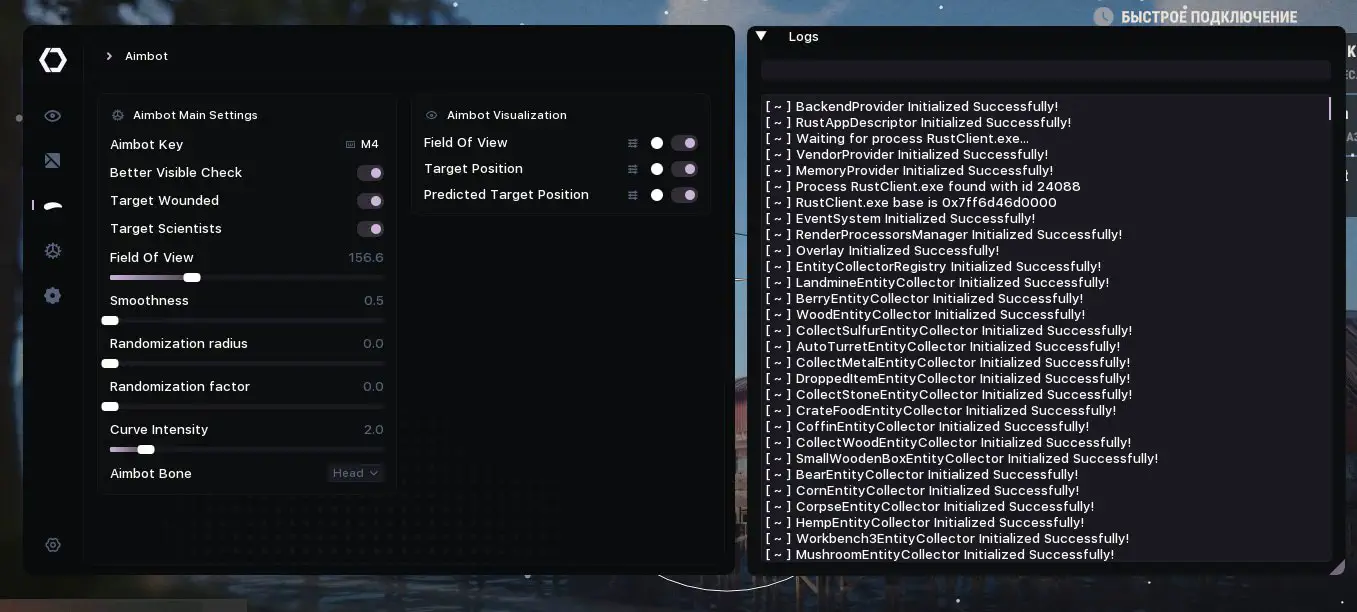
Main Settings
Aimbot Key - Key binding for activation
Better Visible Check - Improved visibility check for targets
Target Wounded - Attack wounded players
Target Scientists - Attack scientists
Field Of View
Smoothness
Randomization Radius
Randomization Factor
Curve Intensity
Aimbot Bone - Select bone for aiming.
Visualization
Field Of View
Enable/Disable
Color
Thickness
Field Of View Fill
Fill Color
Outline
Outline Thickness
Target Position
Enable/Disable
Color
Type
Circle Size - Circle only
Circle Fill
Fill Color
Thickness
Outline
Outline Thickness
Predicted Target Position
Enable/Disable
Color
Type
Circle Size - Circle only
Circle Fill
Fill Color
Thickness
Outline
Outline Thickness
layers
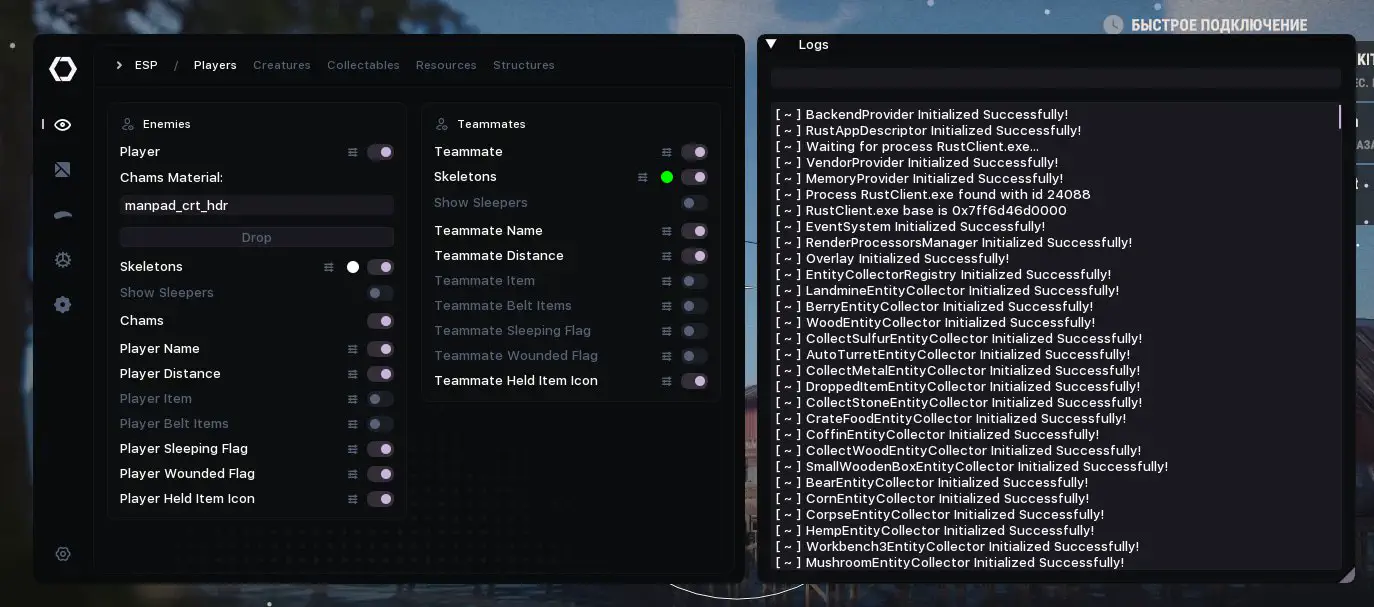
Enemies
Enable/Disable - Main setting for displaying enemies
Name - Display player name
Distance - Display distance to player
Held Item - Display name of item in hands
Belt Items - Display list of items in belt
Sleeping Flag - Display "Sleeping" status
Wounded Flag - Display "Wounded" status
Held Item Icon - Display icon of item in hands
Skeletons - Display player skeleton
Enable/Disable
Color
Skeleton Outline
Skeleton Thickness
Outline Thickness
Show Sleepers - Show sleeping players
Chams - Visual highlighting of players through walls
Chams Material - Material setting for Chams
Box ESP Element Settings:
Enable/Disable
Render Distance
Draw Box
Box Type
Corner Length X - Corner only
Corner Length Y - Corner only
Colorize
Color
Outline
Thickness
Rounding
Label ESP Element Settings (Name, Distance, Held Item, Belt Items, Sleeping Flag, Wounded Flag):
Enable/Disable
Colorize (for supported elements)
Color
Text Scale
Min Text Size - when Text Scale enabled
Max Text Size - when Text Scale enabled
Scale Distance - when Text Scale enabled
Text Size - when Text Scale disabled
Transform
Outline
Anchor
OffsetX
OffsetY
Image ESP Element Settings (Held Item Icon):
Enable/Disable
Color
Anchor
Icon Scale
Min Icon Size - when Icon Scale enabled
Max Icon Size - when Icon Scale enabled
Scale Distance - when Icon Scale enabled
Size - when Icon Scale disabled
Rounding
OffsetX
OffsetY
Teammates
Enable/Disable - Main setting for displaying teammates
Name - Display teammate name
Distance - Display distance to teammate
Held Item - Display name of item in hands
Belt Items - Display list of items in belt
Sleeping Flag - Display "Sleeping" status
Wounded Flag - Display "Wounded" status
Held Item Icon - Display icon of item in hands
Skeletons - Display teammate skeleton
Enable/Disable
Color
Skeleton Outline
Skeleton Thickness
Outline Thickness
Show Sleepers - Show sleeping teammates
Creatures
Enable/Disable
Name
Distance
Elements: Horse, Bear, Boar, Chicken, Stag, Wolf, Zombie, Scientist
Collectables
Enable/Disable
Name
Distance
Elements: Hemp, Mushroom, Pumpkin, Corn, Berry, Potato, Collect Sulfur, Collect Stone, Collect Wood, Collect Metal, Dropped Item (additionally has Icon), Corpse
Resources
Enable/Disable
Name
Distance
Elements: Wood, Metal, Sulfur, Stone
Structures
Enable/Disable
Name
Distance
Elements: Workbench 1, Workbench 2, Workbench 3, Tool Cupboard, Large Wooden Box, Small Wooden Box, Wooden Barrel, Coffin, Barrel, Crate Basic, Crate Elite, Crate Mine, Crate Normal, Crate Food, Crate Medical, Crate Tools, Crate Underwater Advanced, Crate Underwater Basic, Airdrop, Auto Turret, Flame Turret, Gun Trap, Landmine, Bear Trap
Radar
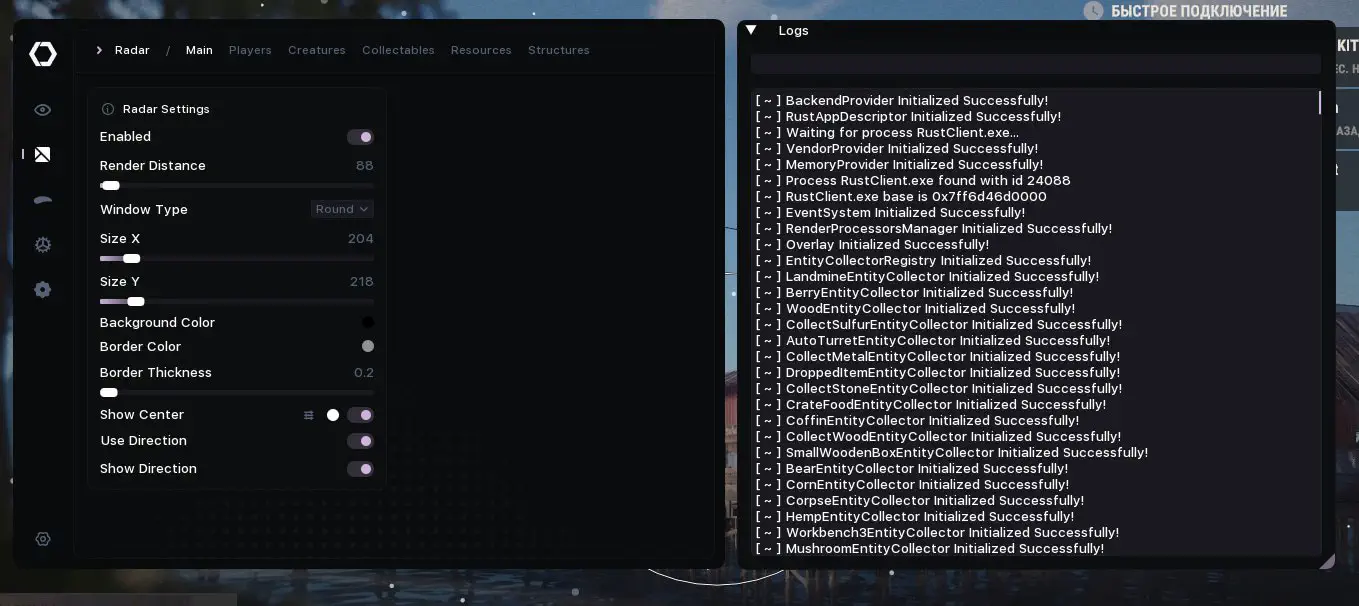
Main Settings
Enable/Disable - Enable radar window
Render Distance
Window Type
Rounding - Square only
Size X
Size Y
Background Color
Border Color
Border Thickness
Show Center
Center Type
Center Color
Use Direction - Rotate radar with player
Show Direction - Show view direction
Players
Enemies
Enable/Disable
Name
Distance
Held Item
Sleeping Flag
Wounded Flag
Held Item Icon
Show Sleepers
Point Radar Element Settings:
Enable/Disable
Render Distance
Point Type
Colorize
Color
Size
Label Radar Element Settings (Name, Distance, Held Item, Sleeping Flag, Wounded Flag):
Enable/Disable
Colorize (for supported elements)
Color
Text Size
Transform
Outline
Anchor
OffsetX
OffsetY
Image Radar Element Settings (Held Item Icon):
Enable/Disable
Color
Anchor
Size X
Size Y
Rounding
OffsetX
OffsetY
Teammates
Enable/Disable
Name
Distance
Held Item
Sleeping Flag
Wounded Flag
Held Item Icon
Show Sleepers
Creatures
Enable/Disable
Name
Distance
Elements: Horse, Bear, Boar, Chicken, Stag, Wolf, Zombie, Scientist
Collectables
Enable/Disable
Name
Distance
Elements: Hemp, Mushroom, Pumpkin, Corn, Berry, Potato, Collect Sulfur, Collect Stone, Collect Wood, Collect Metal, Dropped Item (additionally has Icon), Corpse
Resources
Enable/Disable
Name
Distance
Elements: Wood, Metal, Sulfur, Stone
Structures
Enable/Disable
Name
Distance
Elements: Workbench 1, Workbench 2, Workbench 3, Tool Cupboard, Large Wooden Box, Small Wooden Box, Wooden Barrel, Coffin, Barrel, Crate Basic, Crate Elite, Crate Mine, Crate Normal, Crate Food, Crate Medical, Crate Tools, Crate Underwater Advanced, Crate Underwater Basic, Airdrop, Auto Turret, Flame Turret, Gun Trap, Landmine, Bear Trap
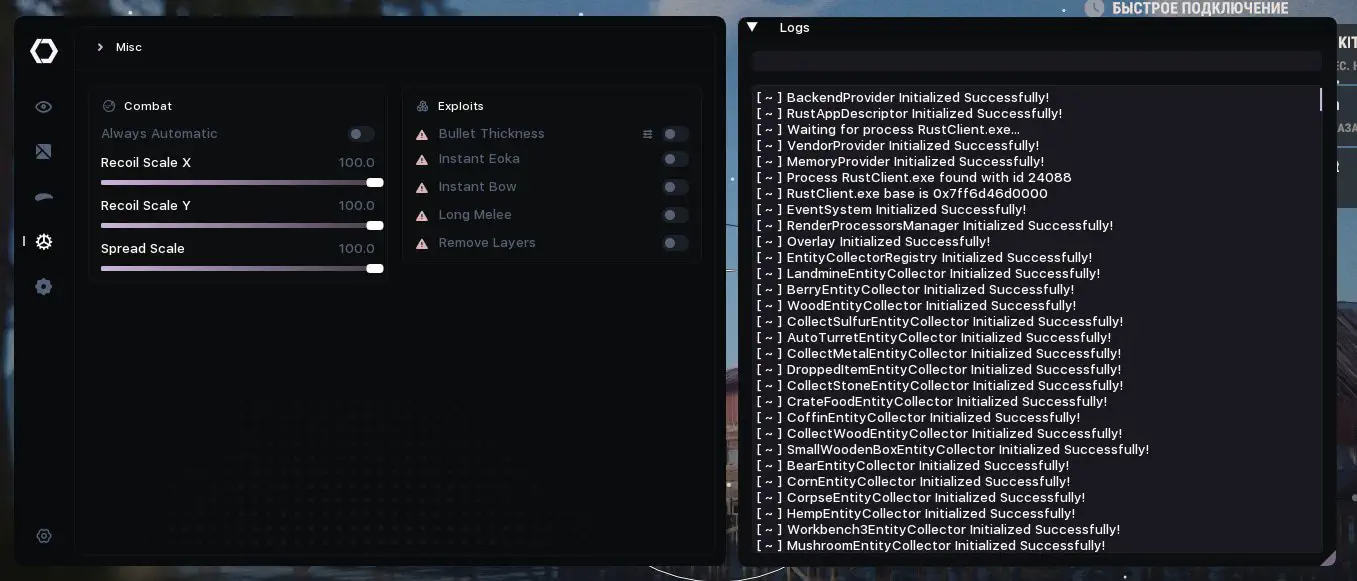
Misc
Combat Features
Always Automatic - Automatic shooting
Recoil Scale X
Recoil Scale Y
Spread Scale
Exploits
Bullet Thickness
Bullet Thickness Value
Instant Eoka - Instant Eoka shooting
Instant Bow - Instant bow shooting
Long Melee - Increased melee range
Remove Layers - Remove layers for improved visibility
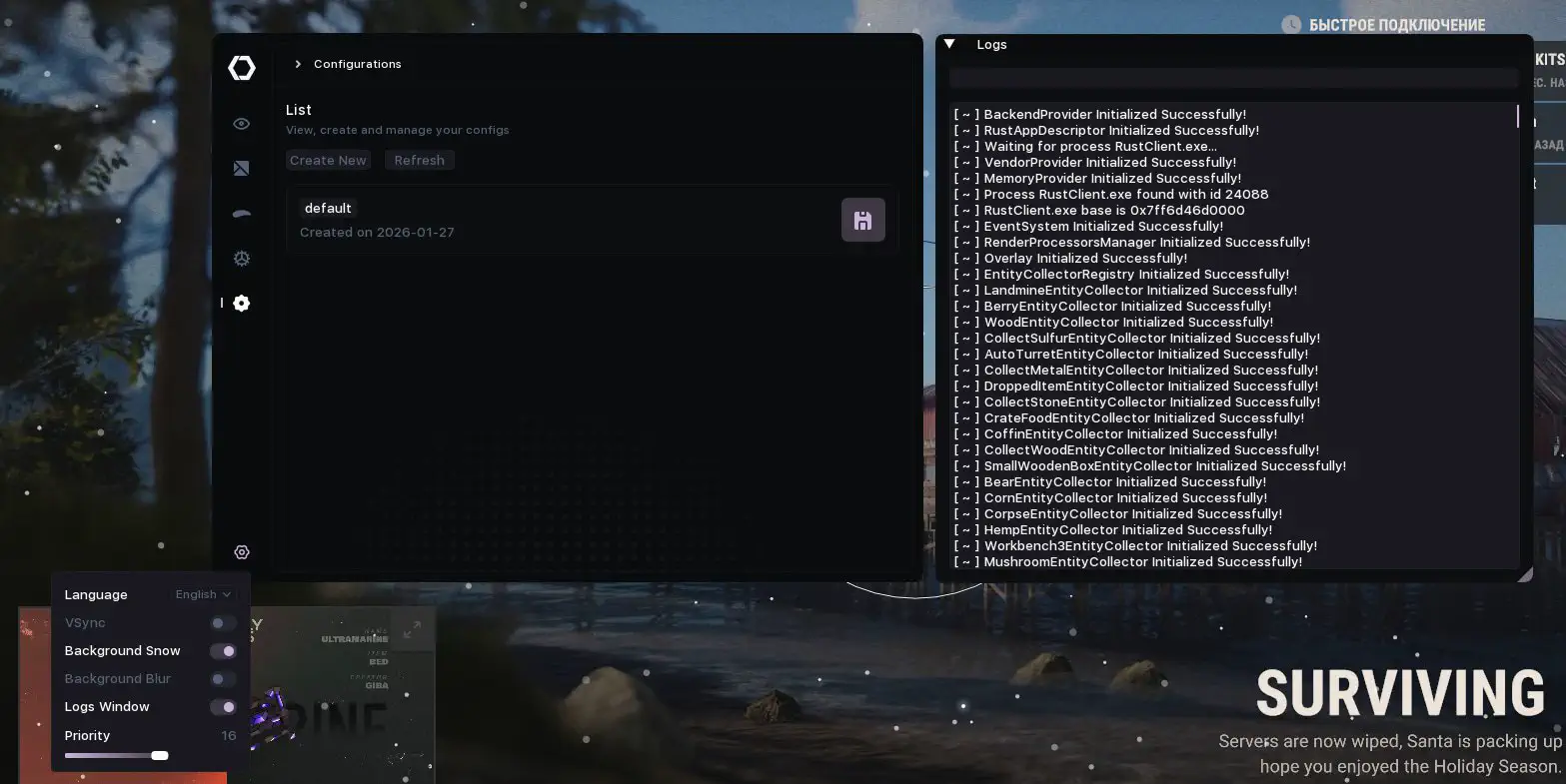
Languages — English, Russian
Vertical Sync
Menu Background Snow
Menu Background Blur
Overlay Priority
OBS Bypass
Compare with another productPrice, rating and features side by side
Specterfrom $4.03

FAQ about Specter

Specter actually includes: aimbot, recoil control, skeleton, chams, box ESP and radar. The full function list and settings are shown on the product card.

Specter runs via an external loader and is updated regularly for current patches. There is no full guarantee against a ban - play carefully and check the status before launching.

After payment the key arrives in your account automatically in about 60 seconds. You then download the loader and activate the key per the guide attached to Specter.

Specter starts at around 329₽ for the shortest plan. Exact prices per duration are on the product card.

To run Specter you usually need Windows 10/11 x64; some loaders require disabling Secure Boot/HVCI. Exact system requirements and compatibility are listed on the card and in the guide.

More from Specter

All brand products
  • Specter — cheats for Apex Legends
    HOTUndetected

    Specter

    Cheats for Apex LegendsSpecter
    53 purchases
    $2.44 / 1 DayGo to

In any game with any cheat you can get banned. Try to play as carefully as possible!